Voice typing
Hold to speak, then release to insert text into the current app. Review it and send when ready.

SoniCloud × DeepSeek Harness
Connect your mouse to AI.
Connect your SoniCloud smart mouse to DeepSeek Harness. Type, translate, and search with your voice, or jump into an AI conversation.
Speech recognition and voice translation are free with the purchase of SoniCloud mouse hardware.
From desktop input to AI collaboration
Use your voice for everyday tasks, and keep the workflow you know.
Hold to speak, then release to insert text into the current app. Review it and send when ready.
Choose source and target languages, then speak to insert the translation at your current input position.
Assign voice search to the M button, then speak your keywords to search with Baidu, Bing, or Google.
Hold the AI button to dictate into a Harness conversation. Auto-send is on by default; turn it off to review before sending.
Assign Enter, Back, or a website shortcut to the M button, and adjust DPI to suit the way you work.
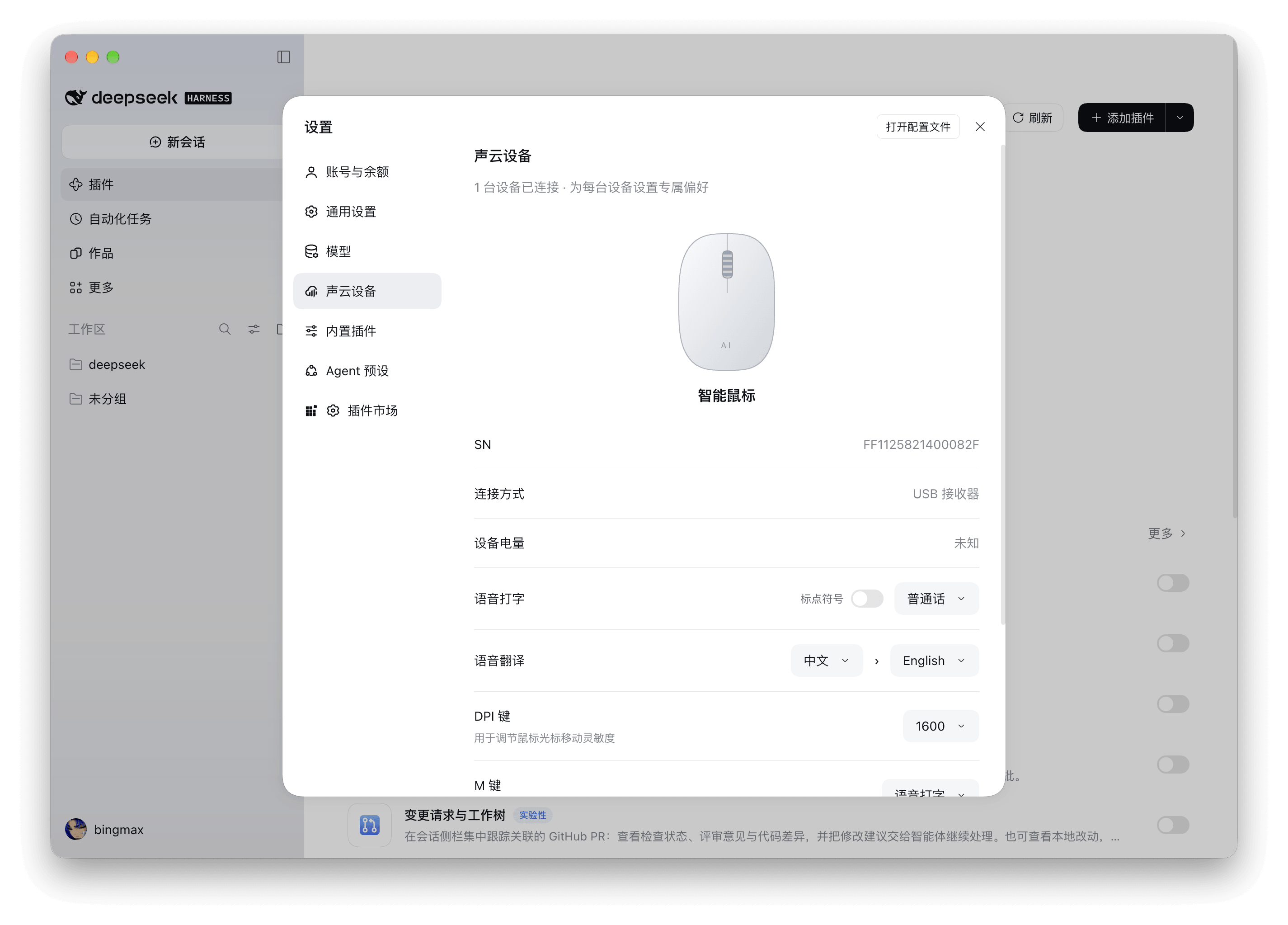
View connection type, battery level, and serial number. Save language, button, and sensitivity settings for each mouse.
Quick start
The plugin detects supported mice and connects to speech services automatically, with no credentials to enter. Keep your network connected and Harness and the plugin running during use.
@sonicloud/dsh-sonicloud-deviceOpen Plugins in the DeepSeek Harness sidebar, then choose Add plugin in the top-right corner.
Enter the plugin name shown here, select Install, and enable it when installation finishes.
Connect a supported SoniCloud smart mouse via Bluetooth or a 2.4G USB receiver, then open Settings → SoniCloud Devices.
On macOS, allow Sonicloud Voice under Privacy & Security → Accessibility for automatic text insertion. If insertion is unavailable, copy the result from the voice overlay.
Multiple mice can connect at once, with one voice operation at a time. If a device is busy, quit other mouse management apps first.
Open source. Built together.
Explore the code, report issues, or contribute improvements to help connect smart hardware with AI.
Project code is MIT-licensed. Bundled native SDKs and third-party libraries retain their own licenses.